

pLan
4


92 votes
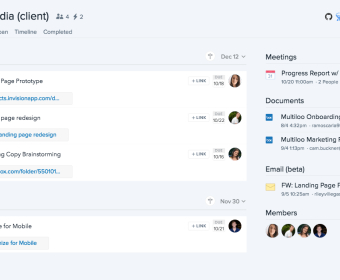
Skip the app-juggling. Start your day in pLan by connecting your calendars, email, and the tools your team already uses—Jira, Zendesk, Salesforce, GitHub, and Drive. Your inbox, tickets, issues, and documents flow into one agenda. Convert emails to tasks, assign owners, add deadlines, and drop work into time slots on your calendar. Block focus time, set recurring routines, and let reminders keep you on track. The AI assistant can draft a daily plan based on urgency, effort, and available hours, then adjust when meetings move or new priorities land.
For product and engineering teams, spin up a workspace per initiative using a template. Define custom stages, map fields to Jira, and sync two-way status updates so your board mirrors reality. Triage on a Kanban view, then switch to the timeline to visualize dependencies, capacity, and critical path. Set milestones, estimate effort, and watch percent-complete roll up to epics. Resource planning helps balance workloads across people and sprints. Automate standups and weekly status notes, and archive old lists to keep the sidebar clean as projects ship.
Operations and support can route tickets from Zendesk into queues with SLAs and due times. Escalate to engineering by linking an issue to a branch or pull request in GitHub, and keep context with attachments from Drive. Track issues through investigation, fix, verification, and release. Log time and expenses against tasks, compare actuals to budget, and export for finance. For sales-linked work, attach Salesforce opportunities and run pre-close checklists with approval gates. Compliance and audit needs are covered with required fields, policy checklists, and activity history.
Marketing, content, and cross-functional planning run smoothly with an editorial calendar and pinned files that replace messy Drive folders. Use Idea Management to gather suggestions, convert the best into planned work, and manage approvals with custom workflows. Requirements live alongside specs, assets, and comments, so edits and versions stay tied to the task. Portfolio views surface progress by goal, team, or client, helping leaders shift resources fast. Use templates for launch plans, research studies, events, or onboarding. When priorities change—as they always do—reschedule by dragging tasks, snooze lower-value work, and keep momentum without rewriting your whole plan.
Free
Free
Hub for work
Calendar, Tasks, Documents
1 - 2 Integrations
Personal
$4.00 per user / month
Unlimited Integrations
Priority Support
Enhanced Security
Team
Free
1 - 4 Members
1 - 2 Integrations
Free Forever
Premium
$6.67 per user / month
5+ Members
Unlimited Integrations
Priority Support
Enhanced Security
Education
Custom
Curriculum Integration
Priority Support
Data Privacy
Enterprise
Custom
30+ Users
24/7 Support, 2hr RT
99% Uptime SLA


Comments